

iMark
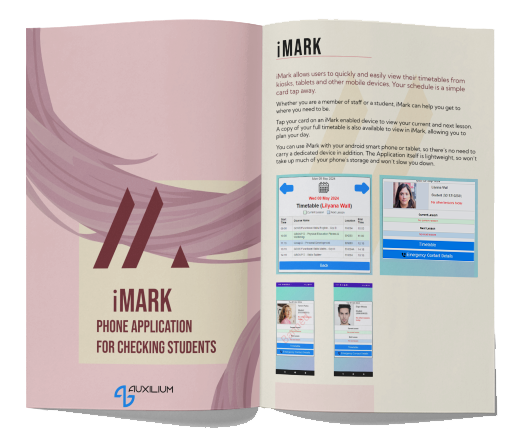
Students can access timetable information instantly with a tap of their ID card, right from kiosks, tablets, or mobile devices. Staff can tap a students ID card with a mobile device to see what their current lesson is and where they are supposed to be.
Try iMark: drag the card to the reader
Just like tapping a real card, this shows what staff would see.

Dorothy Gale
ID number
2026104517
Drag me →↓
Drop the card here
A card tap pulls live data straight from your school or college’s MIS system, bringing up the cardholder’s current lesson and location straight away. Staff with the right permissions can also see emergency contacts, and log a concern against that person, all from the same tap. iMark connects to all MIS systems, including ProSolution, EBS, UNIT-e, Bromcom and SIMS.
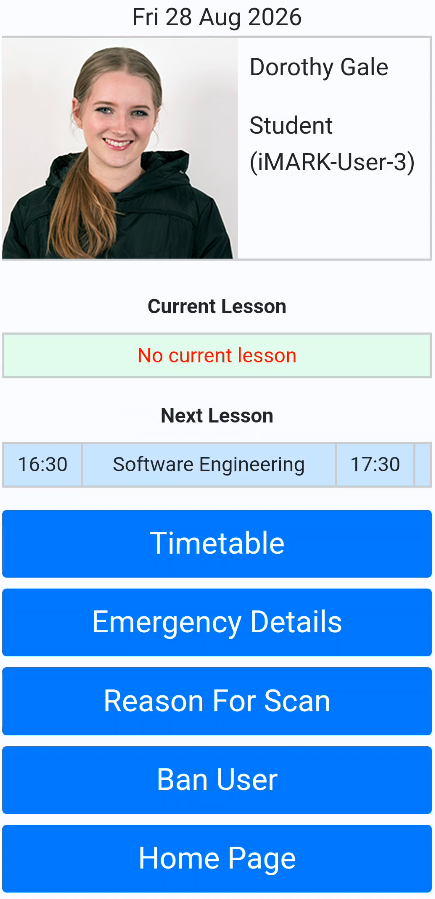
The real iMark app
This is the app staff use day to day. A card tap brings up the student’s profile and lessons, with emergency details, the reason for the scan and the option to ban access, all in one place.

Martyn’s law
Martyn’s Law, officially the Terrorism (Protection of Premises) Act 2025, comes into force in spring 2027. It applies to any premises where 200 or more people are reasonably expected on site at once, and further education settings fall into the standard tier regardless of size. That means naming a responsible person, and having clear, trained-for procedures for evacuation, lockdown and communication if something happens on site.
iMark supports the person responsible for this by giving a live, searchable picture of who’s on site and where, built from card taps and registers throughout the day. That’s the starting point for accounting for everyone during an evacuation, rather than working it out from memory or paper registers after the event has already started. Combined with iAccess, it can also support lockdown procedures directly, restricting a cardholder’s access if a situation calls for it. And because incidents get logged against the cardholder in the same place, there’s no separate system to check when it comes to reviewing what happened.
iMark won’t write your risk assessment or run your staff training for you, but it gives the person responsible something concrete to work from when they do.
Staff Can:
State the reason for tapping a students ID card (loitering, staff area), which can be stored in their file.
Ban users with immediate effect on Paxton access control, and select a reportable reason as to why they were banned.
Flag incidents in real time, including safeguarding concerns, health concerns, and security issues, sent straight to designated staff.
Data Security:
Keeping student information secure is built into iMark. Access is fully permission-controlled, so only authorised staff can view sensitive details like medical information or safeguarding notes. You stay in control of who sees what.

Real-Time Classroom Schedules
Displays a room’s schedule in real time using a kiosk at entrances of classrooms.
Ensures students know where they are supposed to be, reducing confusion.
Students Can Check:
Current Lesson
Classroom Location
Full Timetable
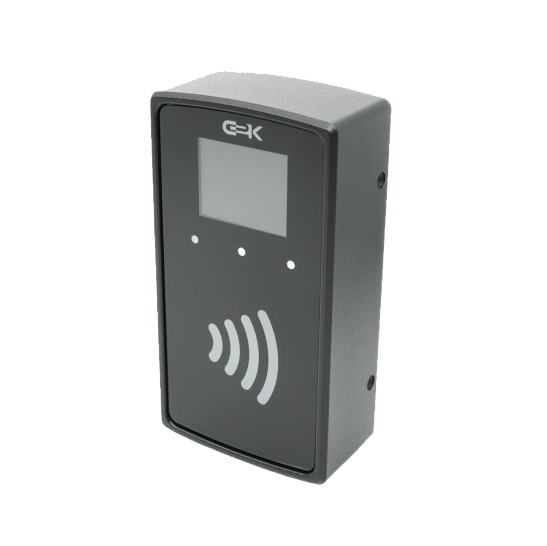
Digital Register
Digital register collection through location based PoE card readers.
Class attendance captured by reader, compiled automatically into a report.
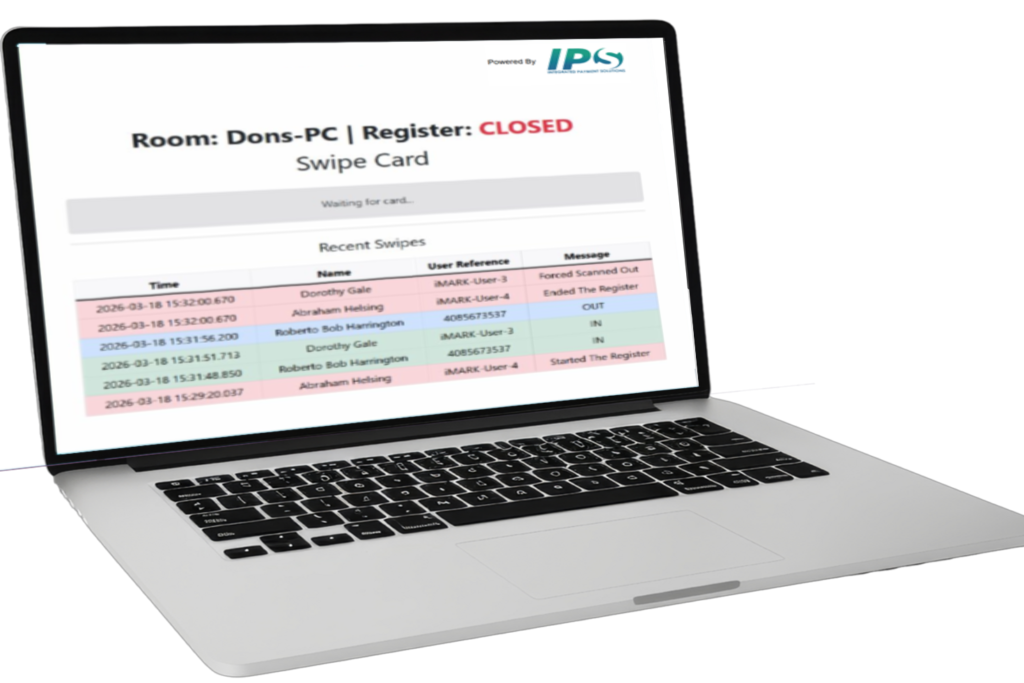
Desktop Based Register
iMark also has a desktop based attendance capture and reporting for classes, open sessions, LRC’s, etc.
Reports can be emailed, provided in a SQL view, or reviewed within iMark.

Event Creation
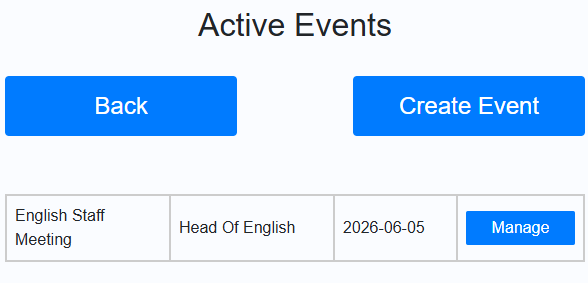
iMark allows you to create events and then capture attendance all within the app.
An admin can create an event and define the purpose of the event, along with date.
With the event created, it can be selected within the app for attendance tracking,
at which point any student or staff scan will register their attendance on the event.
Benefits

Improve punctuality in students.

Supports safeguarding

Fully compatible with all our products.

Reduce unauthorized access.
Why Choose Our iMark Software?
✔️ Help students get to the right place on time.
✔️Identify any student instantly with a tap.
✔️ Put medical and emergency info in staff hands when it matters.
✔️ Support safeguarding with real-time incident flagging.
SEE IT IN ACTION
Explore a live iMark dashboard
The attendance and punctuality figures in this dashboard come from a real college using iMark. They were captured automatically through card taps and registers, then exported and anonymised to build this demo.
Launch interactive demo →Talk to us
We are a friendly technical team based in London.
If you have a question, or want to see what we can do, we’re easy to reach.
Monday – Friday, 08:00 – 17:00